Barnabus in Primrose Hill
Last summer, my wife Laura and I received the most incredible news that we were expecting a baby girl. We quickly panic-bought a house with enough room for a baby, and once her room was ready we would need to fill it with pictures.Ever since she was little, Laura has been doodling this creature she calls Barnabus.

Last summer, my wife Laura and I received the most incredible news that we were expecting a baby girl. We quickly panic-bought a house with enough room for a baby, and once her room was ready we would need to fill it with pictures.
Ever since she was little, Laura has been doodling this creature she calls Barnabus.

Barnnabus Doodle
We thought it would be nice to create a version of Barnabus in Primrose Hill (where Laura and I lived during most of her pregnancy) to go up in the baby's room! I recently watched this tutorial on noise brushes by Dan Gartman, and thought it a perfect opportunity to give this a go myself. This is the reason for using photoshop over illustrator for this project.
You'll see in the video that the composition took quite a while to set up. But once in place the colour and shading portion was really fun.

Barnabus in Primrose Hill: Barnard.co
A beginner’s guide to screen printing, by a complete beginner
This is a wrap up of a screen printing course I took with The Print Club London. It’s mainly so I can remember what to do next time I give it a go, but I hope you find it helpful too!
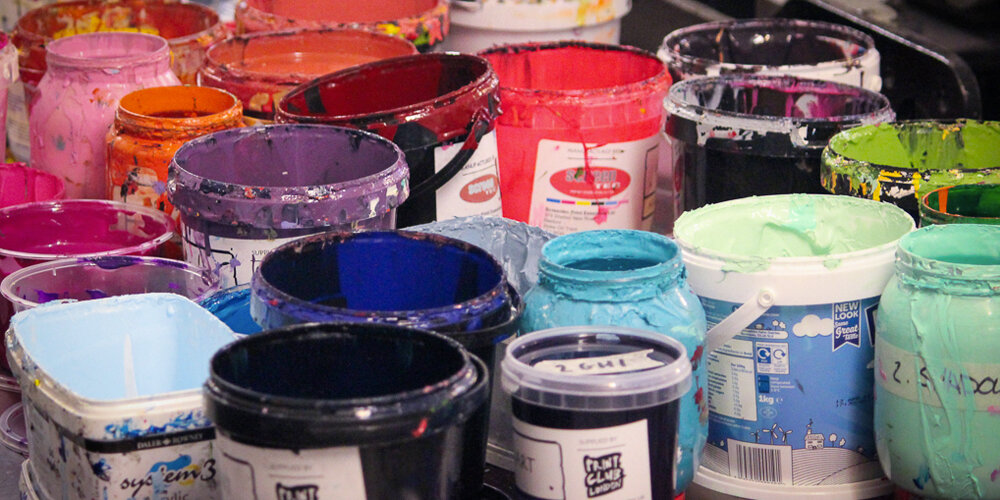
[This is a wrap up of a screen printing course I took with The Print Club London. It’s mainly so I can remember what to do next time I give it a go, but I hope you find it helpful too!]
I got my start in graphic design as a digital designer, working for the website arm of a magazine in London. On the job, I picked up the basics of print design, largely by shadowing a colleague.
I quickly realised how satisfying working in print can be. When I could actually hold my designs in my hands, I found that I felt much more of a connection to my work, and I began to appreciate the finer details. There’s something quite therapeutic about spawning something tangible, over designing a webpage that you can only share on screen.
During my time at this publishing company, I visited the print factory where the magazines were made, and learnt more about different printing techniques. But one method that I’ve always wanted to try is screen printing. I have at least four screen prints on the walls in my home, and I absolutely adore the styles that are possible using this very simple technique. So last week I called in a belated Christmas present from my wife Laura and took a two-day screen printing course at The Print Club, London.

Day 1
The first day was spent learning the basics of screen printing, a little history, and learning how to set up our pre-prepared artwork files ready for printing on day two.
I spent quite a long time deciding on what artwork to prepare for the course. We would be printing using two colours, and I was told to bring a laptop with a photoshop design and my two colours already separated.
My wife Laura is famous among our friends for accidentally swapping out the wrong word in a sentence, or getting phrases ever-so-slightly wrong, but close enough so that you understand what she means. Some of her highlights include…
“The Harlem Witch Trials.”
“I’m just so asphyxiated by that picture on the wall over there.”
“I couldn’t get a word in sideways.”
“That smell is really feng shui for me.”
Using one of these phrases, along with an uncanny depiction of her I made using the website familyguyyourself.com, I made an A3 poster in shocking pink and black.

I traced the character in Adobe Illustrator and added a paint splatter effect behind the text, then brought everything into Photoshop for some tweaks and colour separation.
Registration and trapping.
Our class of six was shown some real-world examples, which were mostly done by artists based at The Print Club. I was absolutely blown away by what is possible using only a few colours.
This piece by Steve Wilson, for instance, was printed using only three colours (cyan, magenta and yellow). Using combinations of ink layers, the most incredible effects can be created. The gradients here were made using halftone dots.

Another piece here, demonstrated by our class tutor Simon, shows two versions of the same screen print, using the same colours, only printed in different orders!

We were also shown what can go wrong during the printing process. The Print Club has a poster show each year called Blisters, which has some seriously high standards for acceptance. One of the main reasons a piece might not be accepted is due to the mis-alignment of the colour layers. This alignment is called registration.
If the registration is off by even a millimetre, meaning the colour layer on top of a previous layer isn’t lined up exactly, then parts of another colour, or even the white paper underneath can show through the cracks.
This was a problem for my artwork. The black layer would be printed on top of the pink. Anywhere the black layer touched the pink, like the eyelids or around Laura’s head would need to be lined up utterly perfectly, otherwise white strips would show through.
With this in mind, I added an extra millimetre of pink to the edges of the first layer. I couldn’t think of a quick way to do this in Photoshop, so I painstakingly painted this in with the brush tool.

This process is called trapping. The last colour layer hides any mistakes, as long as that colour is dark enough to cover any previous layers. Trapping my artwork would prove crucial later on.
Halftones and 50% threshold.
Once my two colours were separated to layers in photoshop, the file needed to prepared for printing onto ‘positives’ which would be transferred to my screens later.
To make your artwork edges appear smoother, Photoshop does this really clever thing called anti-aliasing. This goes back to the early days of digital fonts, when typesetters needed to make really small pt sizes work on pixellated screens. What happens is in areas of contrasting colour, the pixel values are changed to a series of varying colours and shades, to give the appearance of a smooth edge.
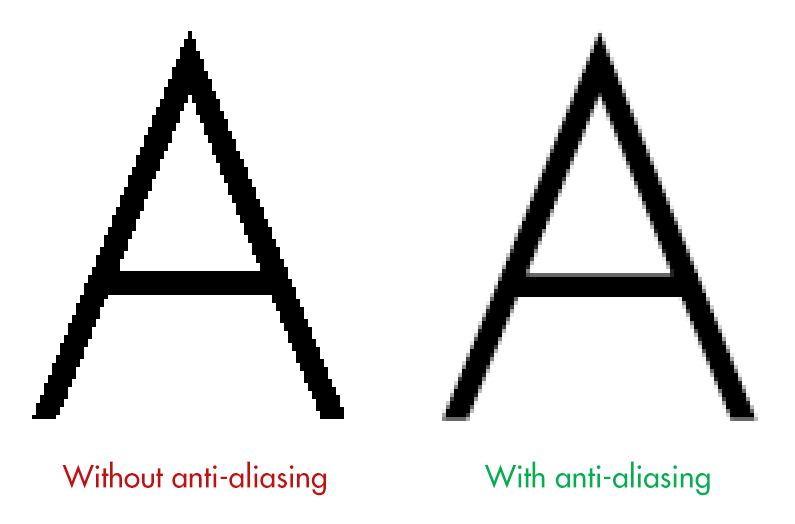
In screen printing however, this is bad. We can only print using a solid colour, not shades. So each colour layer needs to be converted to a bitmap.
A bitmap file is perhaps the simplest form of image file there is. It consists of pixel values of either black or white. That’s it. When we use a bitmap file to make a screen, we either get colour, or no colour, which is exactly what we need.
In Photoshop, we start by removing all colour from the image by converting our file to grayscale (Image / Mode / Grayscale). Then we can change our file to a bitmap (Image / Mode / Bitmap).
In Photoshop we’ll usually get a pop-up message with a few options. With a solid colour, illustrated design, like my artwork, this part is easy. Using a 50% threshold, the artwork is easily converted into black and white pixels. My artwork started as a vector, so its contrasting areas were solid blocks.

This file was now ready to be printed onto acetate to create my ‘positives’.
If, however, you want to convert an image with a much higher level of detail into a bitmap, like a photograph, we have to use a halftone.
This converts areas of contrast into a series of larger and smaller dots, to give the representation of shading.

Halftoning is almost an artwork to itself (see Roy Lichtenstein or Ben Day Dots). Doing this process in Photoshop can be real trial and error. Any artwork with a gradient (see the Polaroid example above), or solid colour going from dark to light, needs to be converted to a halftone.
Transferring our artwork to screens.
I exported my two layers as pdfs, which were sent upstairs for printing in solid black onto acetate.

To get my artwork onto a screen, we first needed to visit the dark room.
Here, our instructor Simon walked us through the process of transferring photo-sensitive emulsion onto the back of our screen. Tipping the emulsion from a tray onto the screen and then sliding it up to the top (in the dark) was a little tricky.
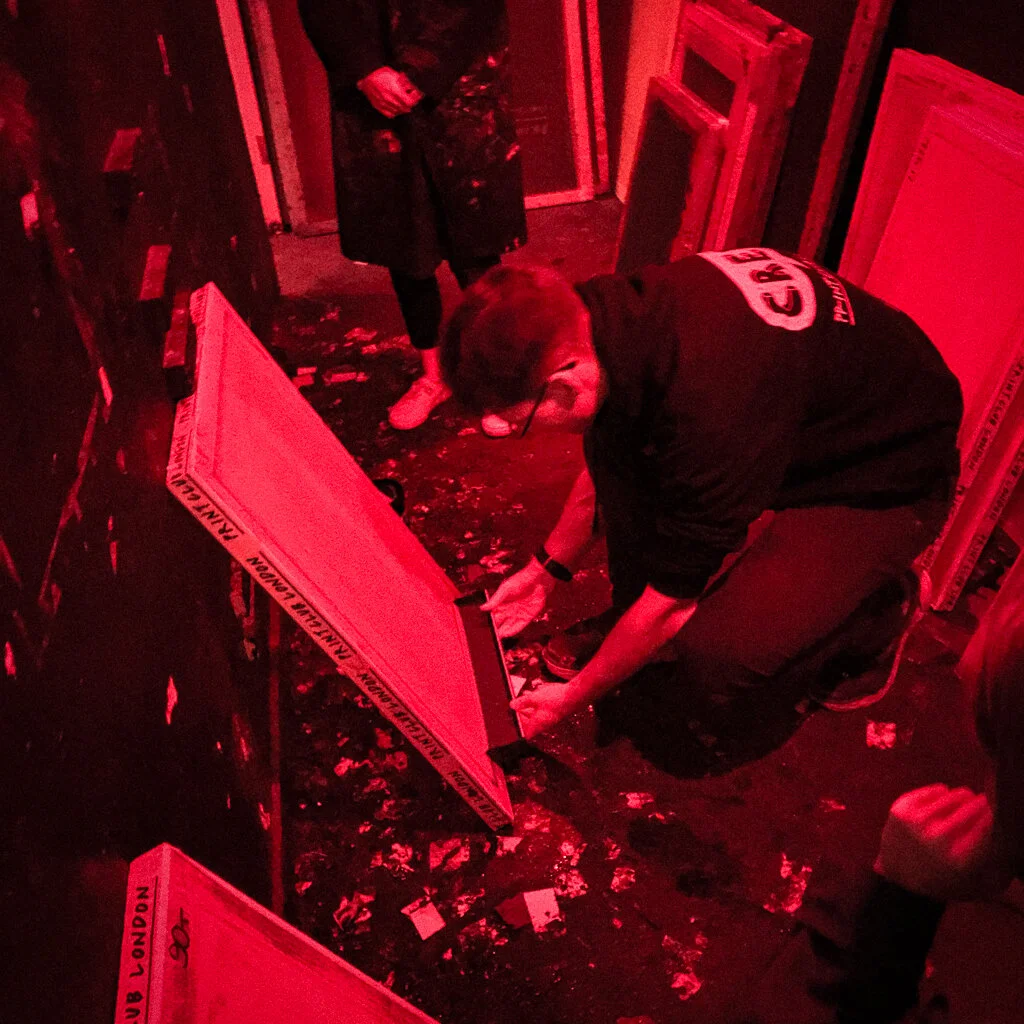
From here, the newly-covered screens were moved (quickly) to a dark, heated cabinet to dry for around 20 minutes.
Once dry, we started actually transferring the artwork to the screen. This was done on a behemoth of a machine. The acetate positives were placed face up on the glass, with our dry screens (with a coat of emulsion) centred on top. Then, with the machine lid down, a vacuum is formed around the screens to force them onto the glass and to keep them still.

A strong UV light is blasted onto the screen for about 30–45 seconds.
When the screen came out of the machine, there didn’t seem to be much difference. You could maybe see a faint outline of the artwork on the screen.
However, when the excess emulsion was washed out (with a little scrubbing and some water) the artwork was as clear as day.
What was left was a screen with emulsion covering the areas that we didn’t want colour to pass through. And at the end of the first day, our screens were ready.

Day 2
Returning to The Print Club the next day, I noticed some problems with my second screen. I’d been a little rough with the cleaning process and washed away a chunk of emulsion off of the shoulder of Laura’s character.
With a paint brush and some extra emulsion, I placed the screen over a light board, covered up the missing chunk and flattened it down with some card. I also covered any pinhole light shining through. This is a really important step because if light can shine through, ink can pass through as well. The screen pictured would use black ink, and black dots would really show up on the final artwork.

Once done, the artwork had to go through the UV bed again to harden the new emulsion. We also added brown tape to the edges of the screen frame, where the emulsion didn’t reach.
With the original acetate positive, I created a registration guide so that I could position my paper correctly under the screen for each pass of the ink. The paper stock was B3, slightly larger than A3, so I marked the position in pencil and taped down the acetate. This was then used as a template to position under the first screen, fixed to a metal frame over a printing bed.
Using a ‘registration stalk’ (a piece of long, blue card with masking tape on the end), we could slide our guide as close as possible to the correct position under the screen. Once in position, we placed a strip of masking tape under the corners of our guide and penciled in where our paper was.

Now we were finally ready to start printing!
Pantone 232C
With a fresh piece of paper under the screen, I went to choose my ink. I’d picked out my Pantone colour the previous day and tried to match my ink as close as possible to this, adding some black ink to darken a ridiculously vibrant shade of pink.

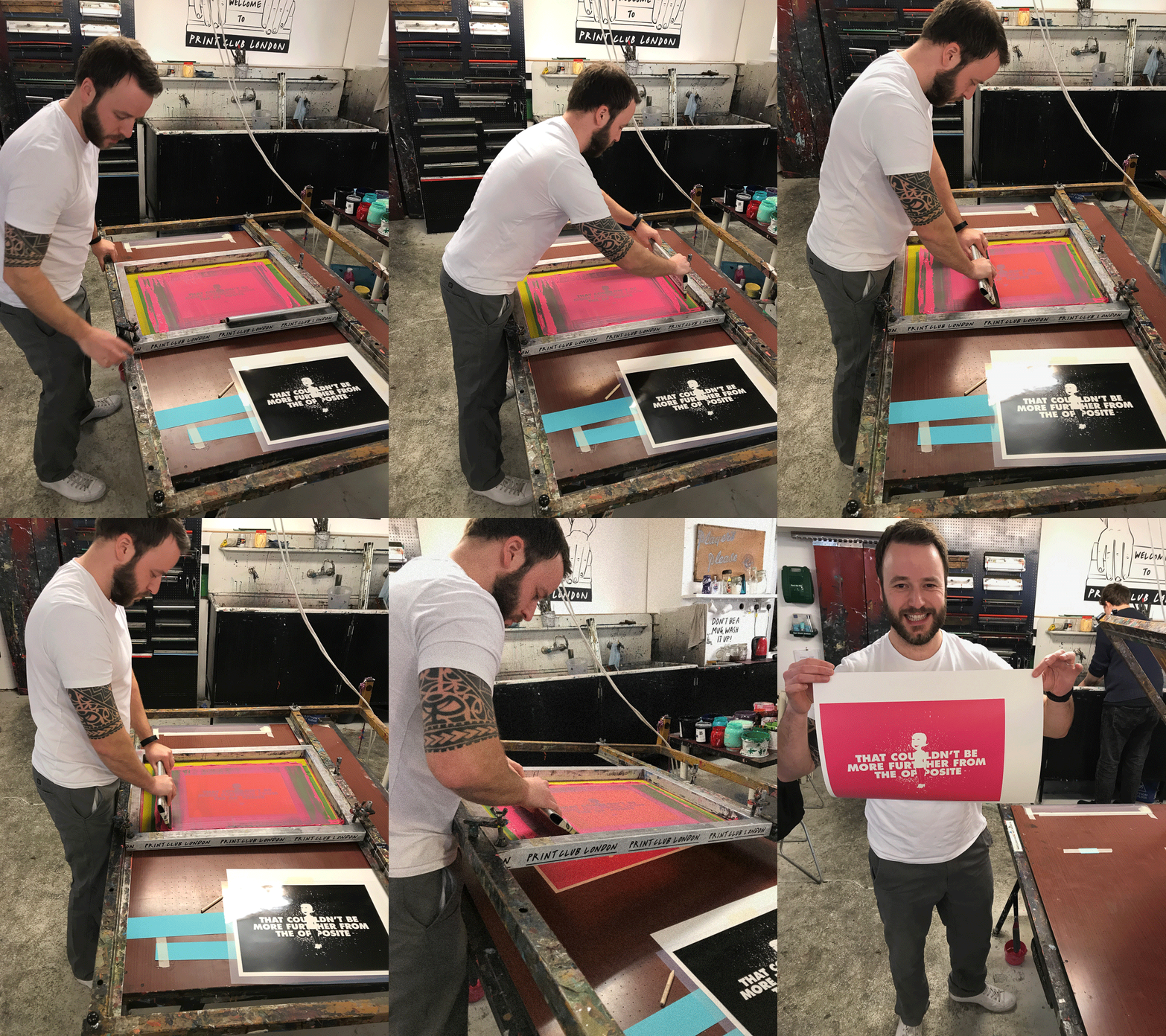
Here’s how the printing process goes:
Raise the screen up off the paper and hold it in place with your belly (or rest it on your belt buckle).
Apply a thick strip of ink to the base of the screen, under the artwork with a palette knife, roughly three fingers width either side of where the ink will end up.
Coat the entire base of a squeegee, a slightly pliable plastic strip with a metal or wooden handle, by rubbing it around in the strip of ink.
With the screen still elevated, push the ink lightly over the screen, away from your body to coat the artwork.
Lower the screen onto the paper (the screens are weighted so the raising/lowering is super-easy).
Move the squeegee to the back side of the ink, ready to pull it back across the artwork. Press down firmly with your arms straight and pull the ink evenly across the screen.
Repeat step 1 and 4. Then place the squeegee in the ‘safe’ position, closest to the hinge (see below). Keep the screen up.
Remove your newly inked paper and place it onto a drying rack.
While I was waiting for the first layer to dry I washed out my screen with water. The Print Club uses only water soluble inks, which meant I could wash them straight down the sink.

Because I was also done with the artwork on my screen, I used the pressure washer and a slightly stronger cleaning product to get all of the original emulsion off of the screen, ready for the next person to use.
Second colour time!
The black layer was undoubtedly harder to lay down, but so much more satisfying. Once again, I set up my registration guide. This time, I placed my acetate positive over a test print I’d made during the first colour layer, so my paper position would be as close to perfect as possible. I lined up the guide under the screen and marked its position again.
The beds at The Print Club have air holes in them like a hockey table, only they work the opposite in that they suck rather than blow. So once my paper was in position, I could turn on the vacuum to keep the paper still before printing.
Another additional step was to fix a big sheet of acetate over the top of my printing paper, using a masking tape ‘hinge’ at one end. I could then print one coat of black onto this transparent sheet to use as a super-accurate guide for the second layer. I could then place my first colour layer underneath, line it up with the print on the acetate, turn on the vacuum, remove the acetate and screen print my black layer as usual.
Here’s a time lapse of the second colour layer…
Screen Print - Timelapse
The first couple were ever so slightly wonky. I was provided with seven high quality sheets in total, so the pressure was on. But the next five were almost, if not perfect registrations, which even had a couple of the regulars turning their heads. It was unbelievably satisfying.
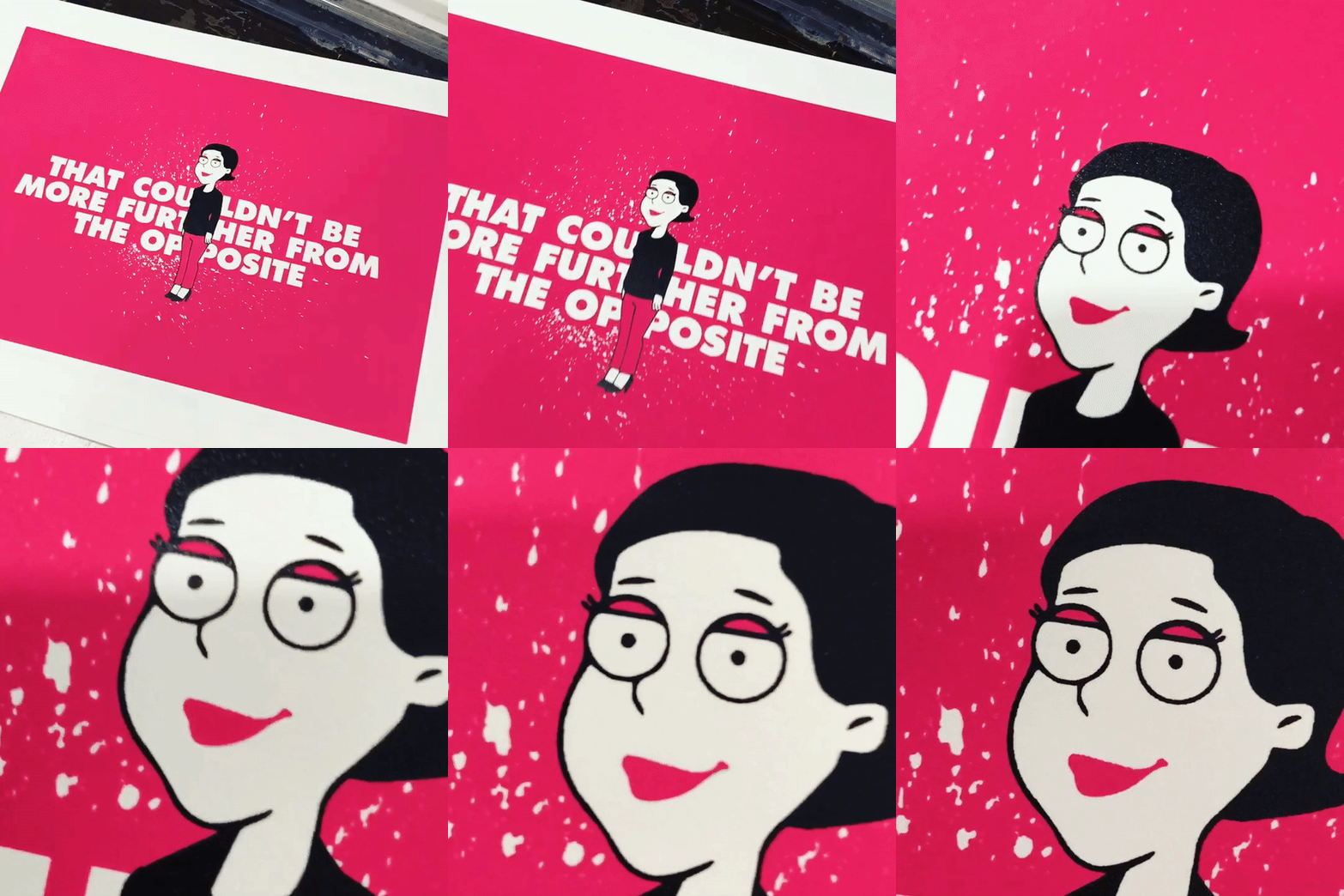
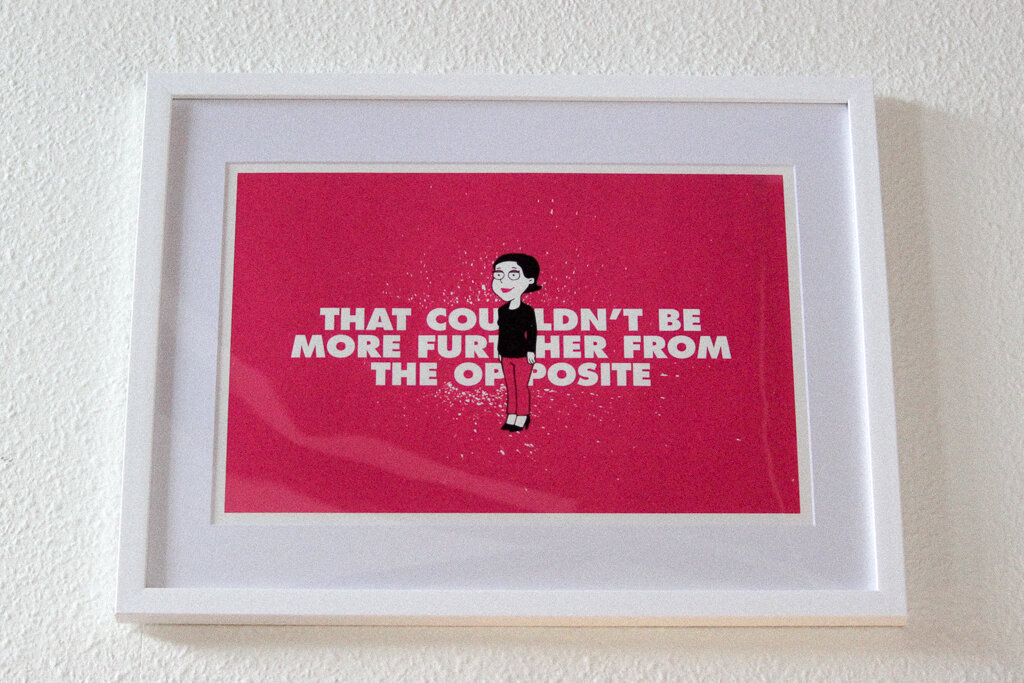
I want to say a huge thank you to Simon from The Print Club. I took the ‘Deluxe Workshop’ if you want to give it a go. You get to take home 7 or 8, two-colour prints at the end of the day. I had the best one framed and it’s been added to my collection in my living room.
Two moped thieves snatched my phone… and I couldn’t be happier
While checking Instagram and walking home in London last year, two guys on a moped mounted the pavement and yanked my phone out of my hand.

[I originally published this article for the Startup publication on Medium]
While checking Instagram and walking home in London last year, two guys on a moped mounted the pavement and yanked my phone out of my hand.
As my earbud headphones came popping out of my ears, with what felt like half of my brain, I blurted out some mindless expletive and pitilessly tried to chase them down on foot. As they were speeding away in front of me, blocked from getting back to the road by parked cars, I managed to memorise their license plate.
Running home, chanting the plate number out loud as not to forget it for the police later, I could not have felt more stupid. There is an insane level of phone theft in the city. It’s near impossible to catch these guys in police cars and they use stolen mopeds so they can’t be traced.
What made this even more aggravating, was maybe a few weeks prior I’d been discussing this epidemic with a family friend who works for a city unit, specifically designed to increase awareness about the nature of these crimes.
All the while I was adamant that my astounding presence of mind and superior peripheral vision would keep me from ever being susceptible to such a base and brazen crime.

Some awareness ads in London, UK
I submitted a police report and watched the blinking blue dot on Find My iPhone race into North London, before stopping forever on the corner of Finsbury Park.
The plate number was useless.
Fear and loathing.
The next morning, on my way to purchase a new phone, I ran a little experiment. During the 10-minute walk to the Vodafone shop, I counted how many people were using their phones in public.
Had I been the proprietor of a stolen moped, and so inclined, I could have made myself about £4,000 in stolen phones that morning. I felt like shouting at pedestrians, “PUT YOUR F*CKING PHONE AWAY!”
After picking up my new phone (I was luckily due an upgrade) I found that I was suddenly very nervous about carrying around a device worth around £800 in my pocket, a fact that I’ve never thought twice about before. When the average Joe is carrying a gadget that’s worth more than an entry-level laptop, there’s no wonder that daylight robbery (phone crime) is on the rise.

Furthermore, the fact that my phone was stolen while I was doing something as unimportant as looking at a cat photo, made this realisation all the more ridiculous. And it made me ask myself a question…
Am I addicted to my phone?
There’s a definite movement towards using your smartphone less. The New York Times recently called for Apple to make a less addictive phone. And for good reason.
Ask yourself, when your smartphone beeps or vibrates, do you find that you stop whatever task you are currently doing completely in order to check it? Or do you check your phone the instant you wake up, before getting out of bed? Something as innocuous as constantly watching your never-ending email could be a sign that you are more than a little attached.
Aside from disrupting our productivity, and changing our emotional and social interactions, there are genuine physical dangers.
A whopping 10% of mobile phone users confess to using their phone while crossing the road. And I don’t even want to think about the texting-while-driving stats. So why would a person risk their life to look at their phone?
The average smartphone user in the UK checks their phone 40 times a day.
But for teenagers, that number is more than double!
App-sessed.
My 15-year-old brother is besotted with Snapchat. He uses it almost exclusively as a messaging app. If he wants to text his mate to meet him down the shops, he takes a picture of absolutely anything (his shoes, an expressionless selfie, the corner of a table) and then writes over the image in Snapchat and sends it on.
When I ask him what the hell he is doing, he laments with sweeping statements like, “Nobody my age uses WhatsApp anymore”, pulls a pouty face to the camera and sends another image on with that tell-tale ka-dunk sound. If I pull a funny face behind him when he’s taking a selfie, he becomes enraged, much to my hilarity and unease.
This type of social connection and phone interaction is bewildering to me. As a graphic designer, who is supposed to specialise in digital interactions, this makes me sad at how out of touch I am.

On top of this, Snapchat have gamified the process, by introducing Snap-streaks that record the number of consecutive days users Snapchat with another person. Tristan Harris, a former Google Design Ethicist, talks about this feature in his TED talk. By introducing this feature, the makers of the app have given the user something to lose. Harris remarks that some teenagers even give away their user logins to their friends, enabling them to keep their streaks running if they go on holiday!
After hearing the notification noise on my brother’s phone for the 10th time in one minute, I’d had enough. I challenged him to a bet. It was 5pm. If he could make it to midnight without checking Snapchat, I would present him with a crisp, new £20 note.
Eagerly, he shakes my hand. “Easy”, he says, and the bet is on.
Thirty seconds later, his phone goes ka-dunk, and he reflexively reaches for it. Remembering in the nick of time, he stops and looks at me with a smirk, then places it back on the table. But that’s all it takes for his anxiety to peak. That little red (1) above the app icon is staring at him like HAL 9000 and he is now wringing his hands.

“Open Snapchat please HAL” “I’m sorry Dave. I’m afraid I can’t do that.”
This goes on for hours. He receives something like 40 notifications before midnight, and with each one he asks to be let out of the bet. “What if there’s a party or something, and I miss out on it?” He is visibly agitated, shifting in his seat.
To his credit, he doesn’t check the app. I magnanimously hand over the £20 with genuine regard. He, of course, dives straight in to the yellow Snapchat icon and starts consuming the messages. In little under a minute he’s done, skipping quickly through most of them. He puts the phone down.
“That’s it?”, I remark. “Anything interesting?”
“Nah.”
When app companies have a revenue structure that is designed to keep your attention for as long as possible (watching more adverts), then what chance does the younger generation have?
A walk in the park.
Since my brush with London’s underworld (pfft) I rarely, if at all, use my phone when I’m outside. The level of anxiety I feel when holding it in a public space is palpable. This anxiety is not just reserved for me. If my wife checks her Slack account while walking down the street, I actually feel a pang of anger towards her, such is her apathy.

A typical lunchtime walk for me.
With the exception of checking Google maps, my phone stays buried in my pocket. Admittedly this took some getting used to. The first few days after my phone was stolen, I had to stop myself from firing up Gmail on the go. I even checked a text in the exact spot my phone was pinched, before giving myself a good slap.
Very quickly, not feeling the impulse to check that Whatsapp message became second nature. And utterly liberating.
I have actually found that I now walk more out of enjoyment, over necessity. Perhaps subconsciously my mind is now associating this activity with a period of de-stress, and lack of visual stimulation. But since my outdoor screen hiatus, I notice more around me, and I’ve found that I am choosing to walk to a destination over catching the tube (distance permitting).

Top of the charts: my step stats vs my friends
In my case, I haven’t had to resort to techniques like turning my screen black and white. A forced break and a breath of fresh air each day is enough to curb my screen usage. Plus a concerted effort. But other than the obvious benefits of a little more exercise, I genuinely feel less anxious.
I guess I owe a thank you to the two bikers who pinched my iPhone. Although, I sincerely hope that this was them…
Moped gang who carried out more than 100 robberies in less than 3 weeks jailed for over 18 years https://t.co/cwTfpDCnpYpic.twitter.com/4peWzV5qgD
— Metropolitan Police (@metpoliceuk) October 11, 2017
Thanks for reading! This isn’t a typical article from me. I usually focus on all things design, but I find the psychology of phone usage fascinating (and terrifying). If you’ve tried and succeeded in limiting your screen time, I’d love to hear how you did it.
Some further reading…
Deloitte Mobile Consumer Survey 2017
What is technology doing to us (podcast)
It’s Time for Apple to Build a Less Addictive iPhone
Why We Can’t Look Away From Our Screens
Are you addicted to email?
Greyscale may curb smartphone addiction
Making my Dad's family (Christmas) tree
My dad researches our family history in his spare time. For his Christmas present this year, I decided to turn his research into an A2 family tree. Here's how I went about it...
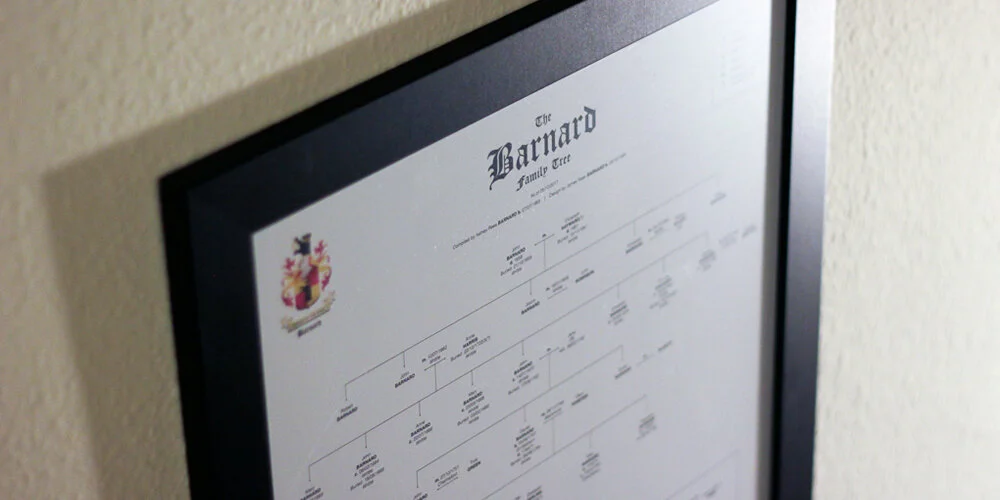
My dad researches our family history in his spare time. For his Christmas present this year, I decided to turn his research into an A2 family tree. Here's how I went about it...
I'd call Ashley (dad) Barnard an amateur genealogist, but when you trawl through birth, death & marriage certificates, search church records for baptisms, marriages & burials, hunt down newspaper entries and even look through church yards for grave inscriptions, all for the better part of twenty years, I think the title 'amateur' is a little unfair.
During this time, he has managed to trace our lineage all the way back to the year 1651.One year, he'll probably write a book on the Barnards. Until then all of his research is sitting in folders under his desk. His version of our family tree is formatted into one excel doc on his computer, where nobody can appreciate his work.
Compiling & Formatting
After my dad had sent through his findings I went about the long process off throwing everything I needed into an Indesign document. To make his excel document printable, dad had (over time) split it into 79 separate tabs. This took some sorting. Some pages were formatted top to bottom, some from right to left, and when there was no more room on the sheet, a line would point to a box that said something like 'See Barnard 2', which meant moving to another tab.
I immediately faced some decisions. There was simply no way to get the entire thing onto one, nicely framed poster. As soon as the tree hit the 1750s it branched out into multiple other family trees. The sheer number of people that this one dude spawned in the 1650s was staggering. To get the whole thing onto one A2 page I decided I would only trace my dad's lineage back to the first date. After all, this was a gift for him. This meant that I'd need to truncate the tree heavily.

Secondly, there were varying levels of detail on each entry. Some had entries like "Daniel Barnard, Farmer of South Wood", with dates for birth/death/marriage/christening; the whole works. Some only had "Died 1845/6 ?". Because of this, I decided that each entry would, at a maximum, show dates for birth, christening, death and marriage, and then place of birth and place buried only (if the research was there). Each entry would be restricted to a maximum of seven lines, which meant I could potentially format each person into equal-sized blocks, and would help with spacing later.

With the formatting loosely agreed upon, I started just throwing the people onto the canvas and drawing rough lines to work out how much content I was dealing with. At a text size of 8pt, the whole lot just fit (unformatted) on to a canvas a metre wide. Not good.
The Crest
The Barnard family crest is pretty badass. It has two bears on it. The name Barnard is apparently a derivation of the Germanic name Bernhard, composed of the elements ber(n) ‘bear’ + hard ‘brave’, ‘hardy’, ‘strong’.Unfortunately, we only have a low-res version in our possession. So I spent some time in Adobe Illustrator tracing the crest and generating a printable version using simpler colours.
This version would be used later, along with a title and a key, for the heading on the poster.
Design
After researching how to format a family tree (and not finding a definitive answer) I decided on a simple Helvetica font, with the surname as caps, and births, deaths, etc in bold. I also created a symbol that denoted a continued lineage, where the tree could no longer fit on the page. I added this to a key in the heading and began to work through formatting and aligning each of the entries.

With the format agreed upon, it was just a case of spacing each entry equally across the height of the page. There were eleven generations to squeeze on. Leaving space at the bottom for a short note to dad, I drew eleven lines and vertically distributed them. Then using the eyedropper tool in Indesign, I formatted each of the text blocks to match each other.

As I got to the 1800s, I noticed how many children Nathaniel Barnard had fathered. Starting in 1841, poor old Jane Barnard gave birth to twelve children. Sadly, it looks as though many of them died very young. Happily, the remaining offspring had eight marriages between them. However, this meant that I now had to split this generation onto two rows, as there were twenty people to squeeze onto one generational line. Therefore I had to reformat the height distribution onto twelve lines, not eleven. This meant redrawing a lot of lines and connections. Lesson learnt: measure twice, design once.
Proofing
Once I was 'finished' I went about checking my work. Not having an A2 printer at home, I set the pdf to print in 'Poster' mode (this is under Page Sizing & Handling under the Acrobat print settings). This prints eight A4 sheets with a half-inch overlap, meaning I could tape together my sheets and check that the wording was legible.

This turned out to be a crucial step, as I found a ton of typos and some formatting inconsistencies.

N.B. Even after doing this twice, I still managed to leave in an extra full-stop where it shouldn't be.
Printing & Gifting
Once done I found a nice black A2 frame and sent my poster off for printing. The result was super-satisfying, and hopefully goes some way to showing off all of dad's hard work. He was certainly pleased.


Two days of work for 11 seconds of TV
I recently completed a short project for the Sky Atlantic series The Tunnel, 'a British-French crime drama'. With the third series Vengeance soon to be released, Toby Welch (friend and producer of the show) reached out for some help filling some gaps in post-production.
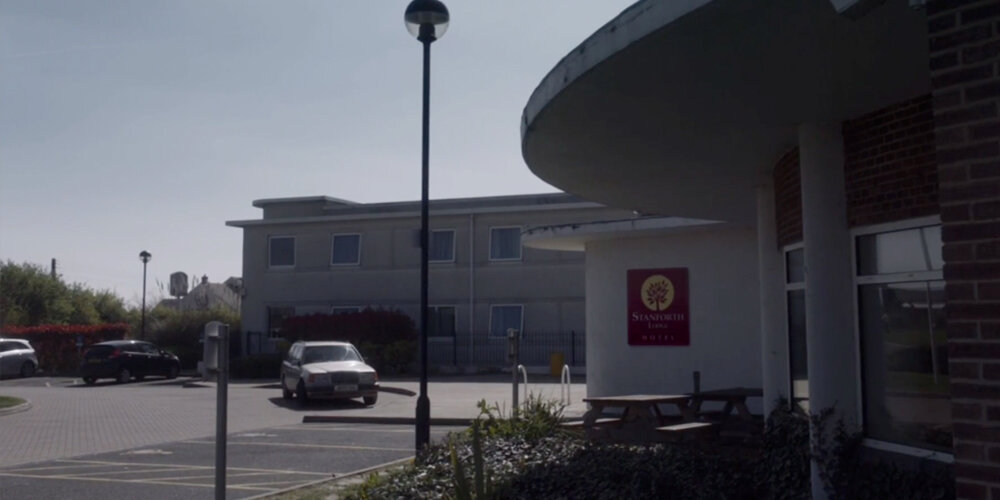
I recently completed a short project for the Sky Atlantic series The Tunnel, 'a British-French crime drama'. With the third series Vengeance soon to be released, Toby Welch (friend and producer of the show) reached out for some help filling some gaps in post-production.
Usually (in Britain anyway), if a brand is used on a TV show, then the makers have obtained express permission to use it. I once met a graphic designer who worked on a well-known ITV soap, whose job it was to create fake drinks labels of all the spirits behind the bar, because using the real ones would have been a legal nightmare. So when we film an exterior shot of our protagonists driving up to a cheap, road-side hotel and pulling over outside, we can't show the real name of the hotel. We have to come up with a fake one. And when shooting a show, it's not always practical, timely or cost-effective to make real signage for a wall or the side of a building. It's often cheaper to digitally add it later in post.
The brief.
Toby needed two logos for the VFX team to superimpose on to two different scenes. The first was for an exterior shot of our protagonists driving up to a the hotel and pulling over outside. He needed a fairly budget looking logo, and he would provide a pre-approved hotel name (signed off by legal).
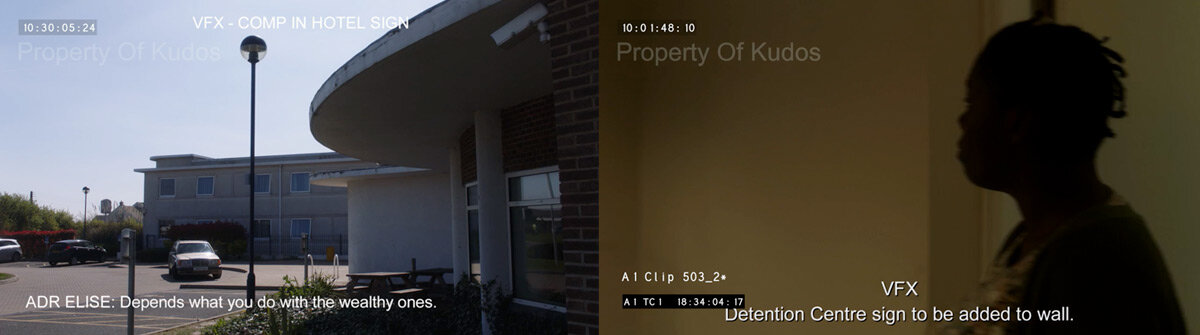
The second was for a fake institution called the 'Kent & District IMMIGRATION REMOVAL CENTRE', which needed to be in a plain, black and white style that feels like 'government' and accompanied by a private security company badge. This would be added to an interior wall that an actress would quickly walk past. I was provided with the unedited movie clips and asked to come up with some options.
This was a cool brief, which turned out to be more work than I'd originally thought.
Research.
For the hotel brand, I tried to find a colour palette that was an amalgamation of the many road-side hotels that are so recognisable as cheap in the UK. Brands that want to scream 'budget' are often orange, but hotels usually try and fake their luxuriousness with something like a blue gradient.
Without wanting to sound pretentious, it's incredibly tricky to not make the design look too good. You obviously want to submit something to the client that says, "Honestly, I'm a good designer!", but you can't, because anything too stylish or premium will be less believable in the scene.
The government sign was a little easier. The toughest part was picking a typeface that says 'government' without actually using the font on Gov.uk's website, which you're obviously not allowed to do (I actually checked). Toby had an idea of using a nautical emblem like an anchor, and I looked up Kent's sigil, which is a rearing horse.
First draft.
With a first draft done, I submitted some options...

...which were met with a pretty positive response from the execs. The next round of amends tweaked the far too intricate tree to something a little bolder. The gap between the logo and the camera would be a factor, so the logo mark for the hotel would need to stand out from a distance. Good advice for any branding project.
The immigration sign was met with approval, but the blue security logo was far more important to the scene than I'd realised. This needed some more work, and after another round of research of security firm logos, we eventually settled on these.
Approved.
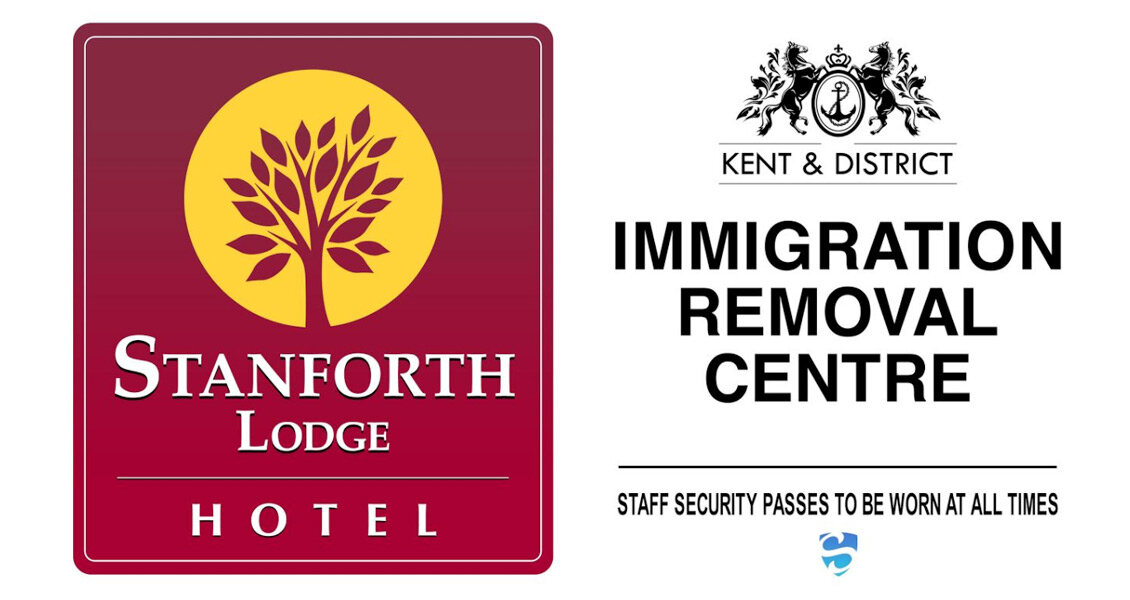
As it turns out, the scene with the white wall was so hard for the VFX guys to track, that they ended up going with a much simpler adaptation in the final scene. Because there is such a wash of white on screen, with no frame of reference to track the movement of the camera, the team mocked a shorter version up onto a metal plaque. Thankfully, my corporate security logo survived.
Final scenes.
I found the whole experience fascinating. It took two days of back and forth, plus lord-knows how much VFX work, to produce signs that appear on screen for a total of less than 11 seconds. All to tell the story just that little bit better.
I think that is superb, and I can not imagine what an involved process creating an entire TV series like this must be. Hats off to Toby and the team. Fingers crossed I get more work like this. Graphic design for TV and Film. It's a dream job.
P.S. Check out this video from Annie Atkins and her work for the Grand Budapest Hotel.
Dribbble Animations
I finally got an invite to Dribbble! (follow me here)

I finally got an invite to Dribbble! (follow me here)
For the uninitiated, Dribbble is (in their words) a 'show and tell for designers'. It's basically an online community for design pros who want to share their work and maybe ask for feedback, or basically show off. It's pretty powerful, and can actually lead to paid work.
There are lots of posts about branding and logo design on Dribbble, and the ones that do really well (make the front page) are usually the ones that show a little gif animation. Sometimes it can really sell the story of a brand.
From my experience making banner ads and some video editing, I can do a pretty decent job of animating, starting in After Effects and then moving to Photoshop to make a lightweight gif. Here's a selection of posts I've made from some of my logo designs over the years.