Choose your table function: Making waves with M Restaurants
Since launching back in October, the ‘Choose your table‘ functionality on the relaunched M Restaurants website has been making industry headlines.

[Edit: We won an award for this piece of tech! Read more about it here.]
Since launching back in October, the 'Choose your table' functionality on the relaunched M Restaurants website has been making industry headlines. It is, perhaps, the first restaurant website in the UK that allows you to pick your table, airline style, when making a dinner booking. Here's how I went about setting it up (it's simpler than you think).

One of the benefits of going freelance full-time this year has been that I can dedicate some serious time to my favourite clients. Last month I took a 6-week period out of office jobs, working day and night on two new websites for M Restaurants. Cabin fever aside, I am really proud of the results.
The award winning, multifaceted venue, which houses two 100-cover restaurants, launched in the city a year ago with my logos above the door. Since then, they've been so successful, that a new venue is launching in December over in Victoria, which will incorporate a wine store, as well as a HUGE restaurant.
Martin Williams (former Gaucho MD and founder of 'M') needed an online offering for his new M Wine Store, as well as being able to incorporate the new restaurant venue into the existing mrestaurants.co.uk site. It was Martin who came up with the idea to introduce the table picking functionality, and tasked me with making it a reality.
"With M's promise to not kick you off your table until you are good and ready to leave, this is a seriously great service."
There were a number of low-tech solutions that immediately came to mind. I was given an overhead table plan of the restaurant, and I dived straight into Illustrator to make a pretty version for the website. The idea was to create simple hotspots over a jpeg of the table plan that a user could click on to reveal table numbers to quote while booking. This would work, but the user would have no real indication of where the table sat in relation to the rest of the restaurant. Also, the restaurant has these incredible blue booths that are brilliant for small parties. This flat jpeg wasn't doing them justice.
Thankfully, Stacey Anderson (M's awesome marketing manager) had worked with a Google Street View photographer before. She commissioned Annalisa Banello to shoot 360 degree panoramic stills of the entire restaurant, and had it added to Street View! Once it went live, we had this to work with...
Armed with a feature that now allows the user to explore inside the restaurant, I went about researching a method to add an overlay to the street view map so that I could add interactive elements.
The results weren't fruitful. I'm a designer by trade, with a pretty good handle on HTML/CSS. But some of the code needed to add hotspots that would track the position of the tables within the restaurants was way above my skill set. I also had one week left on my deadline to get something more adventurous built.
Luckily, after a conversation with Annalisa, she directed me to an LA-based company called Walk Into. They specialise in online tours using trusted Google photographers. Usually, the company is used to create virtual walking tours for tourists. Elements can be placed on top of the street view panoramas to highlight things like statues or buildings and create notes about them. The site then generates an embed code to allow you to publish to your own site. This was perfect for our needs. It's free until Dec 2015, after which it's $30 per year.
I went about adding the table numbers and colours to the inside of our restaurant. I won't lie, this bit sucked. The reference points are 2D only, which use X and Y positions relative to the photograph. So for each position you can view a table from (each time you press the arrow to move) within the restaurant, I had to add a reference point with a table number and a phone number. You also need to scale the hotspots so that the ones in the background look far away. There are 14 bookable tables. IT TOOK FOREVER!

Armed with the embed code, I plonked this onto our website. Unfortunately, because the content is being served from an external source, I wasn't able to figure out a way to hook this up to our booking system. We use OpenTable at M Restaurants, so other than setting up an OpenTable booking form for each individual table in the restaurant (which you're not allowed to do, I checked) I would need to add a contact form underneath, with a list of table options for the user to pick from. I added this simply, but the majority of bookings for M come by phone, so as long as the telephone details were on the street view map we'd have our bases covered.
The result is a sexy looking table picker, that allows the user to see exactly where they will be sat. Coupled with M's promise to not kick you off your table until you are good and ready to leave, this is a seriously great service, and one that sets M's hospitality apart from the rest.
See the table picker live here »
Coverage:
Evening Standard: M Restaurants let customers reserve seat, airline-style
Hospitality Technology: M Restaurants Launches Airline Style Choose a Seat Policy
Eat Out: M RESTAURANTS REVAMPS TABLE BOOKING POLICIES
Drinks Business: M RESTAURANT LAUNCHES AIRLINE-STYLE SEATING POLICY

Make your own wedding invitations for under £100
I proposed to my girlfriend in April 2015, and since then I’ve managed to save us a boat load in costs through contra-deals, and by designing everything we need myself.

[Edit: This post made it to the front page of Reddit, after I posted the images as a gallery on Imgur. Apparently, there's a lot of love for sarcastic design out there. I ended up having to blur out the shots and take down my wedding website, as I received 20 bogus (but lovely) RSVPs in the space of about 10 minutes.]
Being a graphic designer has its perks from time to time. I proposed to my girlfriend in April 2015, and since then I've managed to save us a boat load in costs through contra-deals, and by designing everything we need myself. I recently completed our wedding invites, using our overlapping initials to create an emblem and creating a folded card to contain the actual invite. All in all, the whole thing cost me under £100. The main costs were to my sanity, and on printing the fridge magnets (yes, fridge magnets). My priorities are all wrong, as I haven’t even booked the registrar yet. Here’s a step by step guide to putting together your own invite…

Create the elements in Indesign and mark the fold positions on an A5 landscape document. Print the sections separately, putting the actual invite onto a separate A6 card to be cropped down later.

Delivered with envelopes, slightly bent in the post.
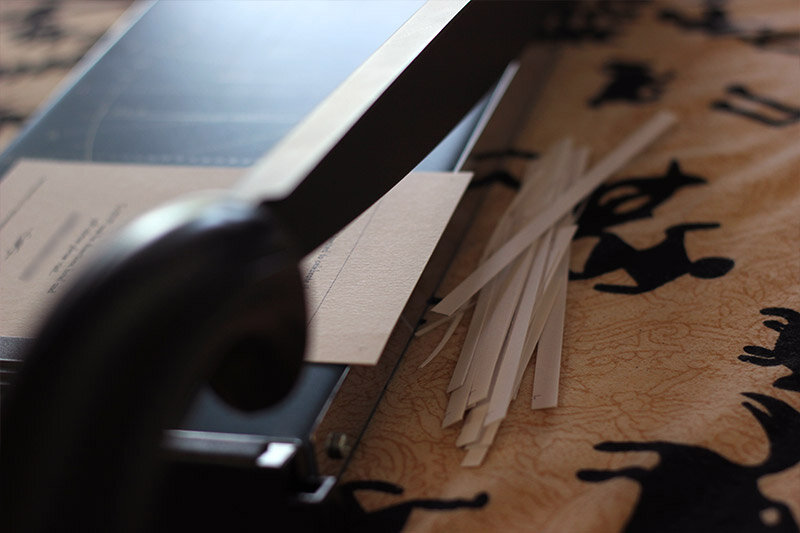
Start cropping. Ideally, find the bluntest guillotine you can so that you can only cut one card at a time.

Immediately realise that you could have saved yourself two hours by positioning the design in the bottom corner of the A6 card, so that you would only have to cut two corners instead of four!

Get some high quality A6 black paper to act as a frame to the white inner invite. But don't buy separate sheets like a normal person. Buy them as a book so that you carefully have to tear each sheet individually from the glued spine, which will make you tear and waste about 30% of the paper. This also needs to be cropped in from A6 to leave a few mm around the white card, but be smaller than the folded outer. Again, make sure your guillotine is blunt so you can only cut two sheets at a time.

The finished items ready for gluing. Note the slightly crimped edge on the black paper from tearing the sheet from the book.

Assemble your items in a hipster layout on your carpet. Everything ready to put together! You’ll need scissors, glue, a scalpelly thing, some satin black ribbon and your own personally designed fridge magnet.

Glue the back of your white card with the cheapest paper glue you can find.

Position in the centre and press down firmly. Throw the first attempt away as you didn't wash your hands, leaving a grubby hand print on the front.

Cut about 50cm of black ribbon. Use one hand to take a picture so the scissors are floating in the shot.

Make sure to cut at an angle. It looks nicer and it’ll be easier to insert through the slot we’re about to make.

Fold every single outer card the other way around because you messed up the printing process and had them accidentally folded back to front.

Place the ribbon in position.

Mark a dot a few mm above and below your ribbon with your scalpelly thing, then cut a line between the dots. Repeat on the opposite side. Don't use a ruler so the cut is slightly wonky.

Feed the ribbon through from the front to the inside…

…then back out the other side. Make sure the ribbon is centred.

Get ready for some more gluing.

Glue a horizontal strip top and bottom and stick down with your grubby hands.

Ready for tying down! Place your magnet in place to check the positioning and take a wanky photo with your scalpel for the Pinterest board later.
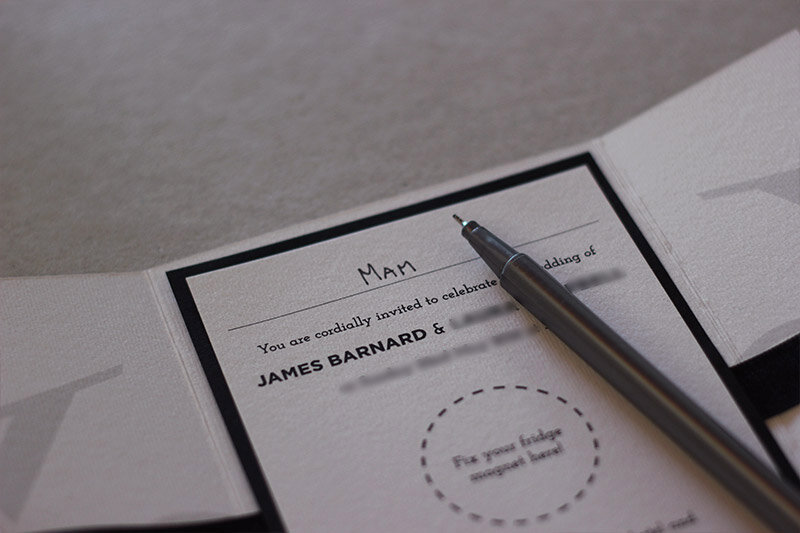
Don’t forget to write who it’s to. Use block caps after your first attempt at nice joined up writing fails miserably.

Fold the card first, then pull the straps together and tie once. Pull hard so that you bend the black paper on the inside and ruin the invite completely.

Tie off like a shoelace and straighten your awkward bow.

Write your envelope now as the bow inside will make this a nightmare later. Like the calligraphy?

Insert the whole thing backwards. It’ll go in easier, plus you get to show off your nice logo when it’s opened later. Make sure the envelopes are old so that the glue doesn't stick down properly.

Ready to send to wow and amaze your relatives! Repeat glueing steps until you can't feel your face.

Thank the gods that the magnet stays in place after having to hold three sheets of paper and a ribbon against the fridge.


Photo restoration and colour
In 1956 my Grandmother (left) and her sister were married on the same day in Wallsend. Almost 60 years later, I restored and coloured this photo to show her at a family reunion. She’s 85 years old.

In 1956 my Grandmother (left) and her sister were married on the same day in Wallsend. Almost 60 years later, I restored and coloured this photo to show her at a family reunion. She's 85 years old.
After posting this video to r/Colorization, someone (quite-rightly) pointed out that I could have saved myself a lot of time, by flood-filling large areas, then using that saved time to colour a lot of individual items differently (like the different leaves and petals).
Still, I think the global effects at the end save it.

Grandma Wedding
Wedding poster, better than a toaster
I took along the DSLR to my cousin’s wedding in Jamaica during the summer and managed to get some really natural shots of the bride and groom (largely by getting in the way of the official photographer – tsk tsk).

I took along the DSLR to my cousin's wedding in Jamaica during the summer and managed to get some really natural shots of the bride and groom (largely by getting in the way of the official photographer - tsk tsk). Once home, I blended these photos over a lovely texture, along with a shot of their wedding venue that I took from the hotel balcony.
The part that took the longest? Coming up with the bl**dy strapline for the poster.


Another Video Timelapse
Sometimes I’ll be asked by a sales person to produce concept artwork for a website design, in order for them to win a pitch. Mockups like these are always good fun, because you can be as creative as you like, without brand constrictions or having to worry about image rites (as the artwork isn’t guaranteed to be used).

Sometimes I'll be asked by a sales person to produce concept artwork for a website design, in order for them to win a pitch. Mockups like these are always good fun, because you can be as creative as you like, without brand constrictions or having to worry about image rites (as the artwork isn't guaranteed to be used).
The fun ends if you actually win the business. Because that beautiful mockup you created probably contains images from Google, which you now can't use, and you'll never find one as good on istockphoto, or without shooting.
The video below is a screencast of a mockup I created for a potential campaign with the video game Destiny (which looks awesome by the way). We didn't win the business, but I had a lot of fun creating this page. It was originally going to be a content hub, using the planet in the centre as a navigation tool to get to article content. And it's a stark improvement (skills-wise) on a video timelapse I made a year ago.
Restoring my Grandma's photo in Photoshop
Like most web designers, I barely use photoshop for its intended purpose. It’s obviously a very powerful photo manipulation tool, which happens to have an added bonus of having everything you need to create designs for beautiful web sites and apps.

Like most web designers, I barely use photoshop for its intended purpose. It's obviously a very powerful photo manipulation tool, which happens to have an added bonus of having everything you need to create designs for beautiful web sites and apps. Arguably though, its real power lies in the transformation of raw camera footage, into pretty much anything you want.
Photoshop retouching is a pretty controversial issue at the moment. Campaigns for showcasing 'real', untouched images of women in magazines are rife. But you really do have to admire the skill of these artists (and they are artists). The ability to spot artefacts and unsettling quirks with an image that you barely notice until they have been edited or removed, is a true skill.
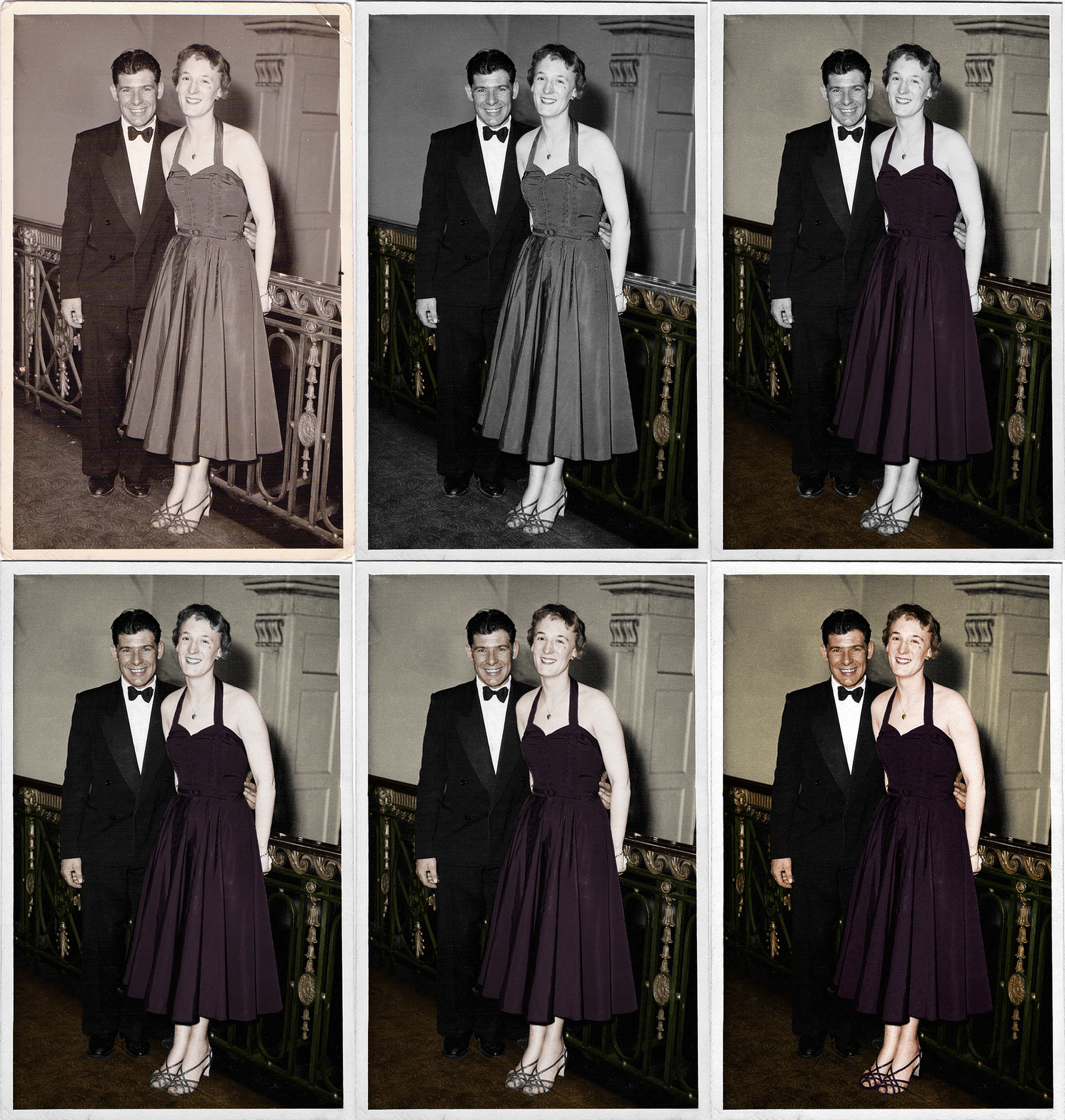
A few months ago I watched this amazing video of a time-lapsed colorisation and restoration of an old photo and I've been desperate to give it a go ever since. My wonderful grandmother turned 84 this month, so I asked my mam to scan over a picture of her and the late Geordie legend that is my granddad Ted. All with the aim of bringing this photo from 1954 to life with some colour.
This is the original.

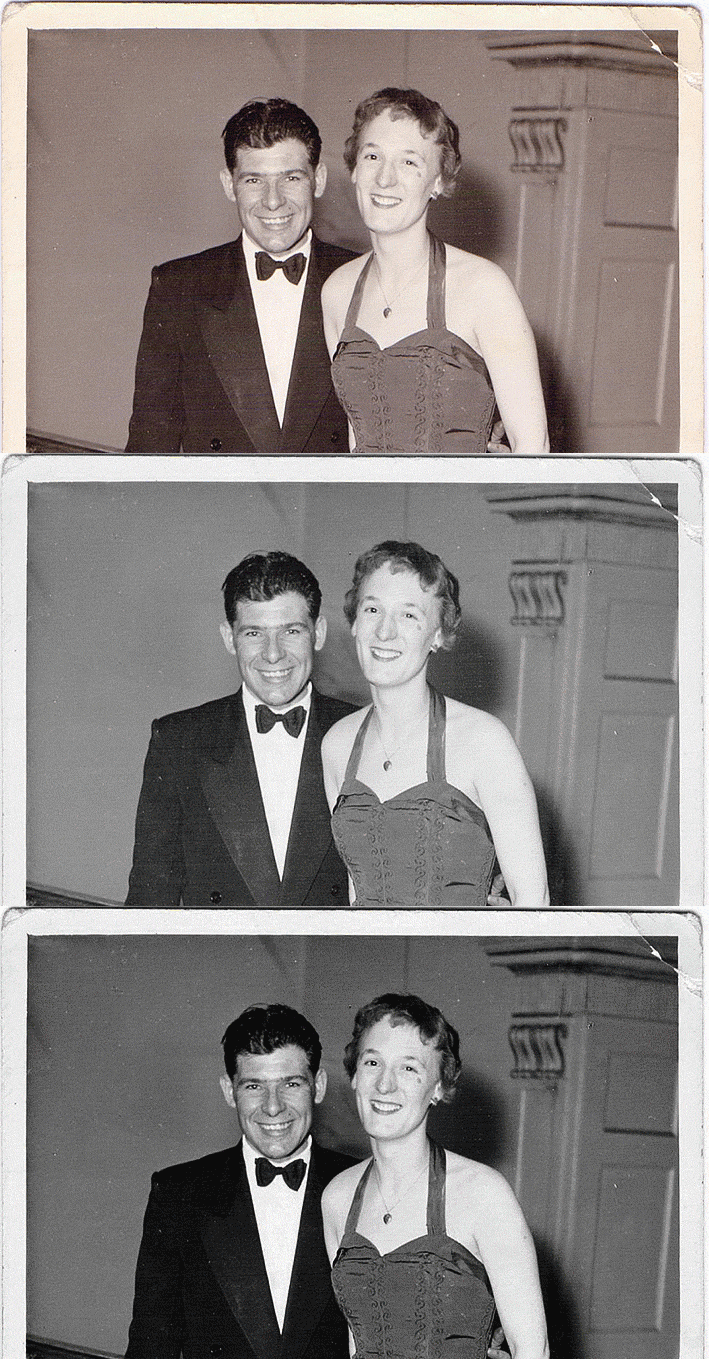
The scan isn't amazing and the resolution is unfortunately quite low (1074x1692). The first step was to remove all colour from the image (including the RGB horizontal aliasing that the scan included) and use the curves tool to bring out the highlights and shadows.
step1
Then I cleaned the dust and scratches with the spot healing and clone stamp tool, including the frayed and cracked corners/borders.

Now with a clean, black and white image as a good starting point, I began to add colour. Starting with the railings. I used a clear layer, with an overlay blend mode and a hue/saturation adjustment layer. I could then paint over the image in sections, allowing me to edit the colour easily afterwards.
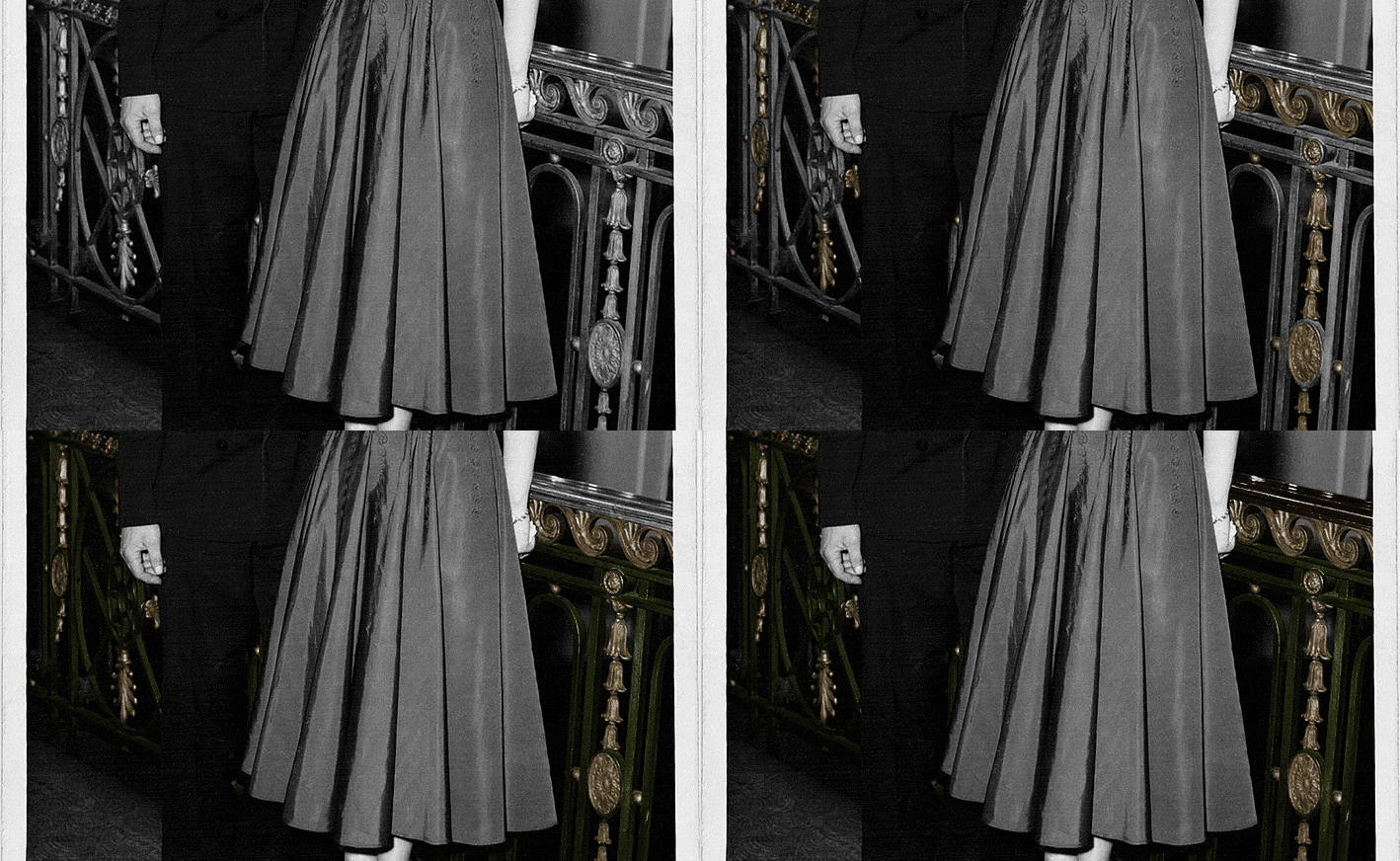
Choosing colours was difficult. I found my self Googling phrases like "1950s stairwell railing" to try and find an appropriate palette. But the floral and wave section of the rail is clearly lighter than the bars. I then added the walls and carpet.
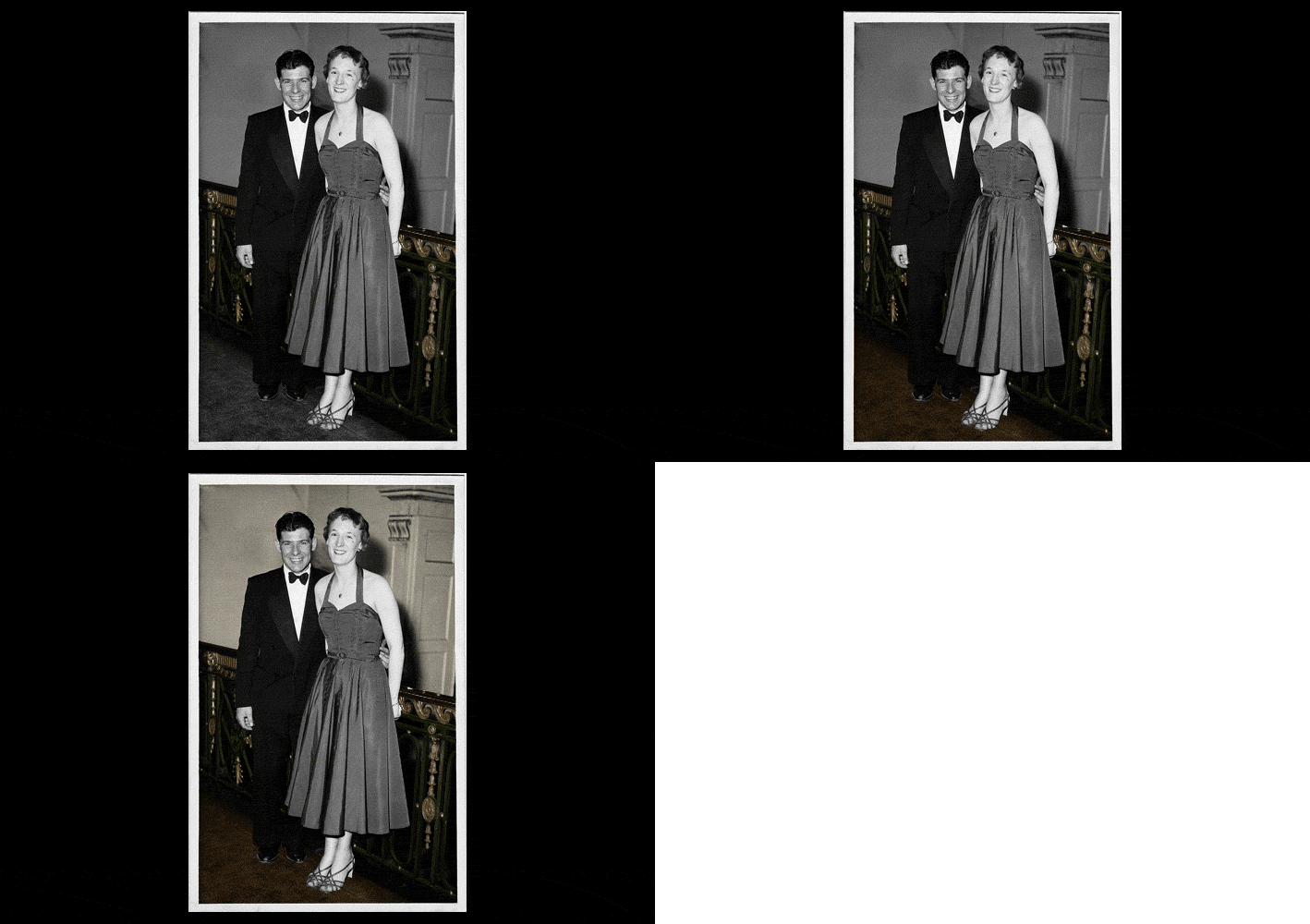
Then I added grandma's dress. Again, picking a colour wasn't easy, but the shade of grey was dark enough to be either green, purple or a blue. I chose a purple, as this was the most complimentary against the green railing.

I started with granddad's (makeup-free) skin as I thought this would be the easiest. He was an outdoorsy type, and clearly more tanned than my grandma. The hardest part here was his lips, and I kept giving him lipstick! It took endless toying to pick the right shade. I also polished his scuffed shoes.

Grandma's skin tone and hair was, without a doubt, the hardest part of the whole image. I'm still not certain I've got it quite right. The flash on the camera was clearly quite harsh, and with grandma in the foreground, she absorbed most of the light here. The fine detail on her jewellery was also difficult.
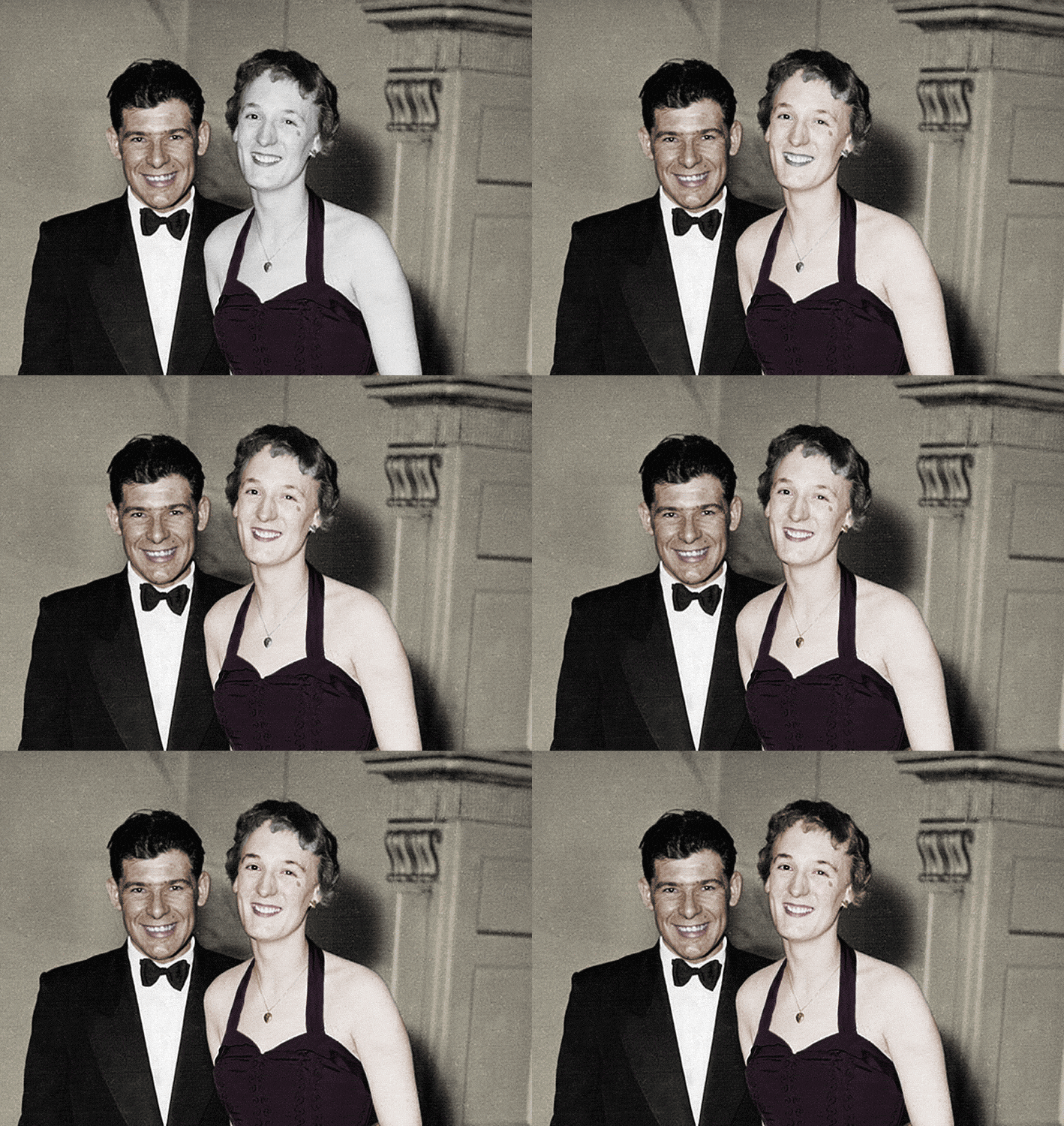
With the colouring done, I finished up with some global effects, including a faint noise layer, a curves layer (to pop the new colours) and then increased the saturation right at the end, which I'm sure you'll agree, rounds the whole image off really nicely.

Here's the final version in stages.